
Why Every Growing F-Commerce Brand Needs Its Own Website
Selling purely through Facebook messages works for your first 10 orders, but once you cross 20–50 daily inquiries, manual inbox replies lead to missed sales, lost addresses, and high return rates.
A dedicated e-commerce storefront gives your customers a 24/7 self-serve catalog, instant variant selection, transparent delivery charges, and automated order tracking.
Step 1: Choose Your Brand Name & Store Subdomain
Start by registering your merchant account on StoreKoo and picking a clean, memorable store slug (for example, yourbrand.storekoo.com). Later, you can map any .com or .com.bd custom domain with free automatic SSL.
Step 2: Pick a High-Converting Theme Pack
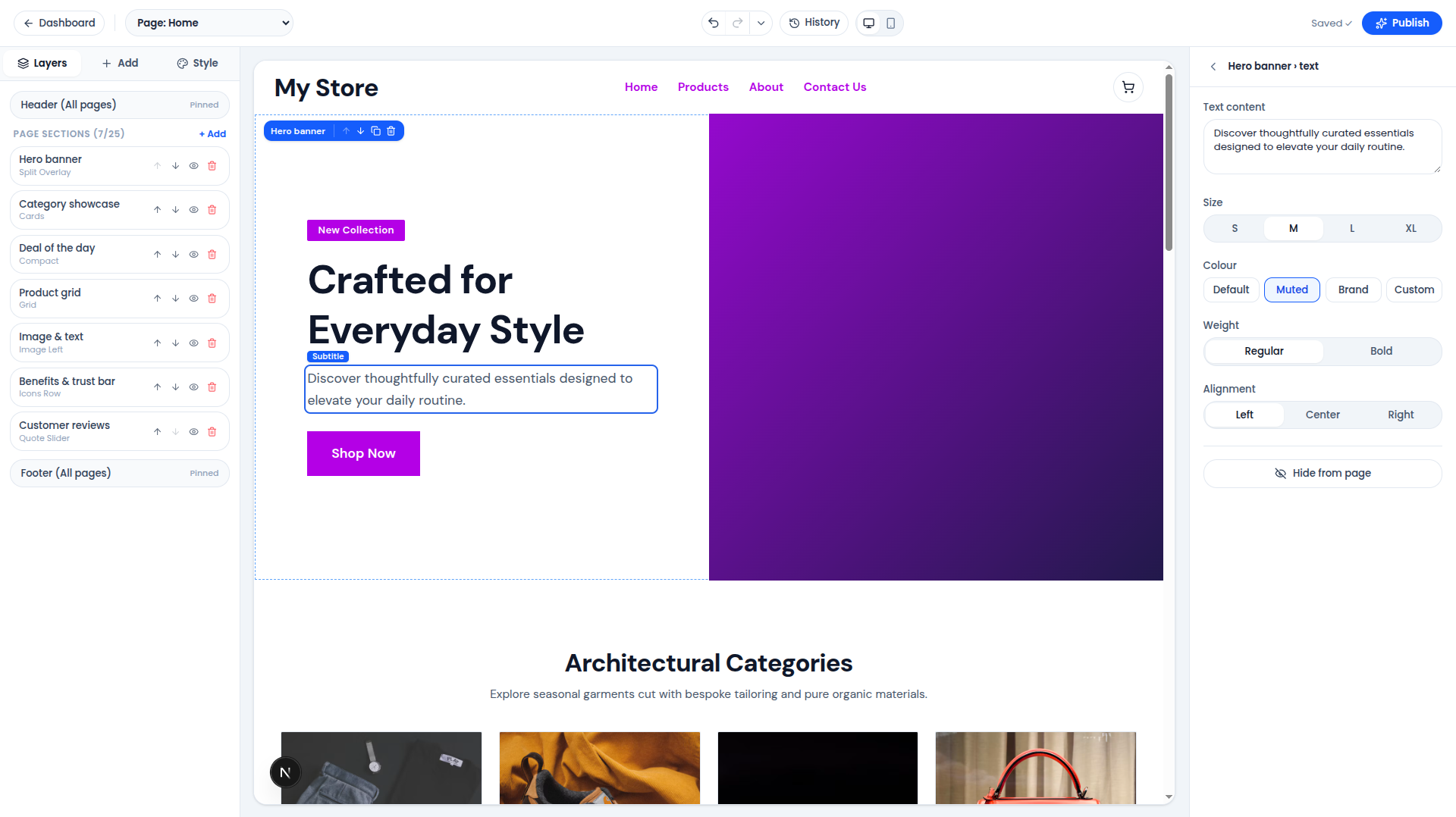
Choose from StoreKoo's pre-designed theme packs—whether you sell modest fashion, gadgets, organic food, or skincare. Use the Visual Site Builder to customize:
- Hero banners & flash deal countdowns
- Featured collections & best-seller product grids
- Customer review highlights & trust badges
- Mobile bottom navigation for thumb-friendly shopping
Step 3: Add Products with Clear Pricing & Stock
Upload crisp product photos, set regular and compare-at prices, configure size or color variants, and add SEO titles so your products appear in Google Search.
Step 4: Enable bKash, Nagad & Courier Automation
Connect your preferred payment methods and local courier partners (Steadfast, Pathao, Carrybee). When a customer places an order, you can dispatch parcels and print invoices in one click.
Step 5: Publish & Share Everywhere
Put your store link in your Facebook bio, Instagram profile, TikTok videos, and Meta Ads. Every click lands directly on a fast, mobile-first product page ready for checkout.